
Call us toll free:
8619709992541 [email protected]
Jctprint Machinery Co., Ltd
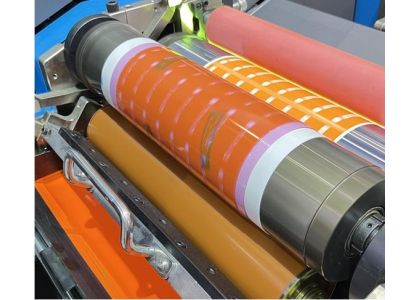
Color inconsistency is one of the most frustrating problems in flexographic printing.
One job looks perfect, the next looks lighter or darker—even though the ink, plate, and substrate haven’t changed.
So what’s really causing the problem?
In many cases, the answer is simpler than you think: the anilox roller.
This article explains how anilox rollers directly affect color consistency, the most common anilox-related issues, and how to fix them for stable, repeatable flexo print results.
In flexographic printing, color inconsistency usually shows up as:
Ink density variations between runs
Uneven color across the web
Color shifts during long production runs
Different color results on the same job, day to day
While printers often blame ink formulation or press settings, ink transfer instability is frequently the real cause—and that leads directly to the anilox roller.
The anilox roller is responsible for metering and transferring a precise amount of ink to the printing plate.
If that ink volume is inconsistent, color consistency becomes impossible—no matter how good the press or ink is.
Three key anilox factors control color stability:
Cell volume – how much ink is delivered
Cell shape & engraving quality – how evenly ink releases
Surface condition – how clean and open the cells remain over time
When any of these factors change, print color changes with them.
Dried ink, coating residue, and paper fibers gradually block anilox cells.
As cell volume decreases, less ink reaches the plate—resulting in lighter or unstable colors.
Typical signs:
Colors fade over time during a run
Frequent press adjustments needed
More ink added, but color still unstable
Over time, doctor blade pressure, improper cleaning, or abrasive inks can cause uneven ceramic wear.
This leads to:
Different ink volumes across the roller surface
Color variation across the web
Streaks or banding in solid areas
Using the wrong line screen or cell volume is a common mistake.
Examples:
Volume too low → weak, washed-out colors
Volume too high → dirty prints, dot gain, color instability
Each application—labels, flexible packaging, corrugated, or coating—requires a properly matched anilox specification.
Not all anilox rollers are engraved to the same standard.
Poor engraving consistency results in:
Irregular cell volume
Uneven ink release
Unstable color reproduction
High-precision laser engraving and strict quality inspection are essential for repeatable color performance.
Relying only on original specifications is risky.
Over time, real cell volume changes due to wear and contamination.
Using microscopic inspection and volume measurement helps you:
Detect volume loss early
Decide when cleaning or replacement is needed
Maintain stable ink transfer
Proper cleaning keeps cells open and ink transfer stable.
Best practices include:
Daily light cleaning during production
Scheduled deep cleaning
Avoiding aggressive methods that damage ceramic surfaces
A clean anilox roller equals predictable color.
Water-based inks, solvent inks, UV inks, and coatings all require different anilox characteristics.
Before changing inks or substrates, always review:
Cell volume
Line count
Cell geometry
Correct matching prevents unnecessary color variation.
Consistent color starts with consistent manufacturing.
A professional anilox roller supplier should offer:
High-quality ceramic coating
Precision laser engraving
Strict volume and surface inspection
Application-based technical support
If your flexo colors are inconsistent, don’t adjust the press blindly.
Start by checking the anilox roller—the heart of ink metering.
A clean, correctly specified, and precisely engraved anilox roller ensures:
Stable ink transfer
Repeatable color results
Reduced ink waste
Higher overall print quality
JCTPRINT is a professional anilox roller manufacturer with over 20 years of experience, serving customers in more than 40 countries.
Our ceramic anilox rollers feature:
Advanced ceramic coating systems
High-precision laser engraving
Strict microscopic inspection and volume control
Solutions for labels, packaging, corrugated, and coating applications
If you are facing color consistency issues in flexo printing, JCTPRINT anilox rollers deliver stable, reliable ink transfer you can trust.
Contact JCTPRINT to get expert advice on selecting the right anilox roller for your application.


