
Call us toll free:
8619709992541 [email protected]
Jctprint Machinery Co., Ltd
Introduction
Color consistency is one of the biggest challenges in flexographic printing.
Many flexible packaging manufacturers experience problems such as:
When these problems occur, many people first check the ink, printing plate, or machine settings.
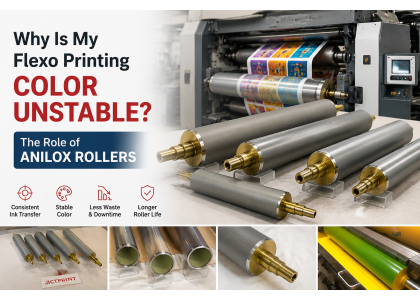
However, the anilox roller is often one of the most important factors affecting color stability.
As the key component responsible for ink transfer, the performance of the anilox roller directly influences printing consistency.
In flexographic printing, the anilox roller transfers a controlled amount of ink from the ink chamber to the printing plate.
The amount of ink transferred depends mainly on:
If the anilox roller cannot deliver ink consistently, the printed color will also become unstable.
Even when using the same ink and the same printing machine, an unsuitable or worn anilox roller can cause visible color differences.
One of the most common causes of color variation is the reduction of effective cell volume.
During long-term operation, anilox cells may lose performance because of:
When the actual ink carrying volume decreases, less ink is transferred to the printing plate.
The result may be:
Regular inspection of anilox rollers helps identify these problems before they affect production.
Not every printing job requires the same anilox specification.
Using an incorrect combination of LPI and BCM volume can lead to unstable printing performance.
For example:
A lower LPI roller may transfer more ink, but it may not be suitable for fine graphics.
A higher LPI roller can provide more precise ink control, but the volume may not meet solid printing requirements.
The correct selection depends on:
Choosing the right anilox roller specification is essential for stable color reproduction.
During production, ink residue and particles can gradually build up inside the cells.
Blocked cells reduce the effective volume of the roller and create uneven ink transfer.
Common symptoms include:
Proper cleaning and maintenance are important for keeping anilox rollers performing consistently.
The quality of laser engraving directly affects ink transfer performance.
If the cells are not uniform, different areas of the roller may transfer different amounts of ink.
High precision engraving helps ensure:
For high-speed CI flexo printing, engraving accuracy becomes even more important.
Ceramic coating provides wear resistance and protects the engraved surface.
However, after extended use, problems may occur:
A worn anilox roller may still rotate normally, but its printing performance may already be affected.
To improve color consistency, printing companies should focus on several key areas:
Choose LPI and BCM according to the actual printing application.
Prevent ink buildup and cell blockage.
Check:
A precision-manufactured roller provides more stable ink transfer and more consistent printing results.
JCTPRINT manufactures customized ceramic anilox rollers for CI flexo, wide web flexo, and other printing applications.
To improve printing stability, our production focuses on:
Accurate cell engraving ensures:
High-quality ceramic coating provides:
Each anilox roller is inspected for:
Different printing machines and applications require different solutions.
JCTPRINT can customize anilox rollers based on:
Our solutions are suitable for:
We support customers using various flexographic printing machines, including:
If you experience:
your anilox roller may no longer provide the required performance.
Replacing an old or damaged anilox roller with a properly specified new roller can help restore printing stability.
Color instability in flexographic printing is often related to ink transfer control.
The anilox roller plays a critical role in maintaining consistent ink volume and printing quality.
A high precision ceramic anilox roller can help printing companies achieve:
JCTPRINT provides customized anilox roller solutions for CI flexo and flexible packaging printing applications.
Send your machine model, roller specifications, or existing drawing to get a suitable solution.


